


Most TikTok creators with under 50K followers spend more time editing than actually growing. The right AI content creation tools fix that by cutting production down to minutes, not hours. Here are the seven best options right now, starting with the one built specifically for TikTok automation.
1. ClipDraft (Our Top Pick) , AI-Powered TikTok Video Automation
ClipDraft is the only tool on this list that delivers a finished video straight to your TikTok inbox as a draft. You type a prompt, and 60 seconds later a photorealistic, TikTok-ready video is waiting for you to review and publish. No camera. No editing. No subscription required.
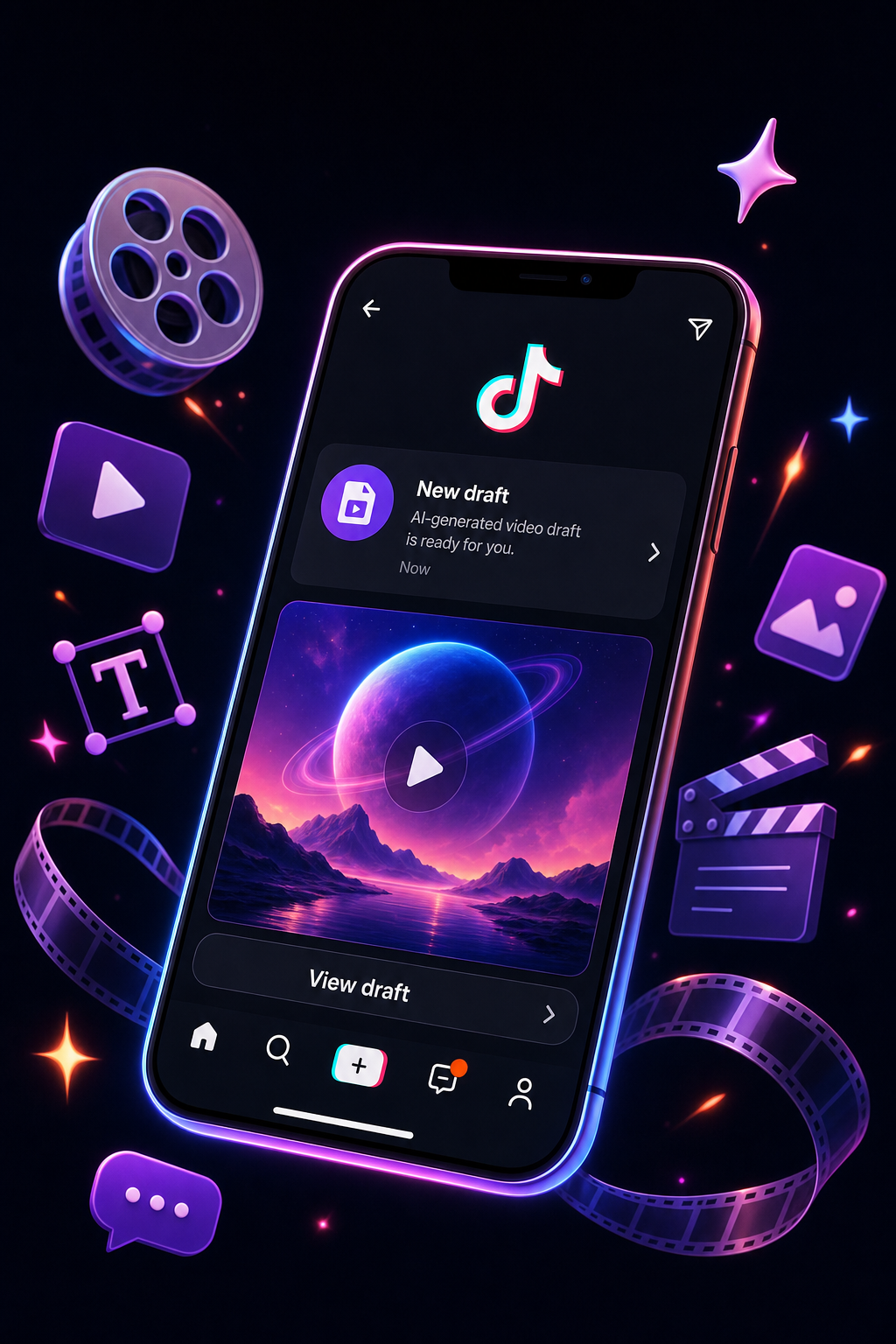
What makes ClipDraft stand out is the depth of its automation. Most AI video generators output an MP4 file you still have to upload, caption, and format. ClipDraft skips that entire loop by integrating directly with TikTok's native inbox. According to our research across 36 AI video tools, only 6% of tools list any direct TikTok integration. ClipDraft is firmly in that rare group.
The tool targets creators in the 0-50K follower range specifically, which matters. Most platforms are built for agencies or enterprise teams. ClipDraft is built for the solo beauty creator posting daily, the food blogger who wants consistent video output without hiring an editor, and the travel influencer who wants content ready before a flight lands.
Beyond the video generator itself, ClipDraft also gives you a full suite of free creator tools, including a hashtag generator, caption generator, and hook builder. Pair those with automated video delivery, and you've got a complete content workflow without opening a single editing app. You can explore everything available at the ClipDraft free TikTok creator tools page.
The one caveat: because ClipDraft generates videos from text prompts rather than editing existing footage, it works best when you want original AI-generated content. If you have a library of recorded clips you want to repurpose, a different tool further down this list may serve you better first.
2. CapCut AI , Built-In Editing With Smart Automation
CapCut is already installed on millions of phones, and its AI editing features have gotten significantly more capable. The web-based auto video editor uses scene detection to trim long footage into vertical clips automatically, syncing cuts to music and adding captions without manual input.
The "Long video to shorts" tool is where CapCut earns its spot here. You upload a video, choose a target length, and the AI analyzes the content to generate multiple short, vertical clips. It often includes auto-captions and correct vertical framing out of the box.
The free tier is genuinely free. You get autocut scene detection, stock music, background removal, and multi-resolution export with no hidden fees. That makes CapCut the obvious starting point for creators who already have footage and want AI to handle the cutting.
The downside is the publishing gap. CapCut gets you an edited clip, but you still need to download and upload it to TikTok manually. For creators posting one or two videos a week, that's no big deal. For anyone trying to post daily, that friction adds up fast.
3. Script-to-Video Tools, Turn Scripts Into Short-Form Videos Fast
Some AI tools take written content and turn it into video automatically. You paste in a script, blog post, or article, and the platform selects relevant stock footage, music, and timing to match your text's tone and structure.
For TikTok creators who write first and film second, this kind of tool fits naturally into that workflow. If you have a script for a recipe video or a travel tip, a script-to-video tool can build a video around it using its stock library without you filming a single frame. The platform's AI analyzes the semantic meaning of the text, not just the keywords, so the footage it picks tends to match the point you're making rather than just the words on screen.
This approach is particularly useful for creators who repurpose blog content into short-form video. A single written post can generate multiple TikTok clips with different hooks and lengths. That kind of content multiplication is hard to do manually and very fast with the right tool.
Where it falls short: most script-to-video tools do not deliver to TikTok directly. You export an MP4 and post it yourself. And because these tools depend on stock footage, videos can look similar to other creators using the same library. If you need a more original visual style, you'll want to pair it with additional editing.
4. Runway ML , Generative Video for Visual Storytellers
Runway ML is for creators who want to generate video from nothing. You describe a scene in text, and Runway's generative models produce footage that matches your description. It's the kind of tool that lets a travel creator show a location they've never visited or a beauty creator demonstrate a look without filming it.

Beyond text-to-video, Runway also handles background replacement without a green screen, object removal, and style transfer on existing footage. For a TikTok creator who wants a cinematic B-roll or an unusual visual effect, those tools open up creative options that are otherwise expensive or technically demanding.
Runway offers a free tier with 125 credits, then paid plans that scale from there. The credit system means costs can be unpredictable if you generate a lot of content. It's also a more complex tool than the others on this list. Beginners may find the learning curve steep compared to something like CapCut or ClipDraft.
That said, for creators who prioritize original, visually striking content and don't mind spending time learning the platform, Runway has capabilities nothing else on this list can match. It's best suited to creators who already have a clear visual style and want to push it further with generative AI.
5. Descript , Edit TikTok Videos by Editing Text
Descript flips the editing process. Instead of working on a timeline, you edit a text transcript of your video. Delete a sentence from the transcript and that section disappears from the video. It's the fastest way to remove filler words, cut rambling sections, and tighten a TikTok to its best moments.
The tool also handles automatic captions, background removal, eye contact correction, and Studio Sound audio cleanup. It supports 9:16 aspect ratio natively and exports MP4 at up to 4K on higher-tier plans.
Descript's free plan includes 1 media hour per month and 100 AI credits, which is enough to test the workflow properly. The paid Creator plan at $16 per person per month (billed annually) unlocks 10 media hours and 400 credits, which suits most individual TikTok creators posting a few videos per week.
The caveat is that Descript works best with recorded footage. If you don't have clips to start with, it can't generate content from scratch. Think of it as the fastest editor for creators who film themselves, not a generator for those who want to skip filming entirely.
6. Synthesia , AI Avatars for Faceless TikTok Content
Synthesia lets you create talking-head videos using AI avatars instead of appearing on camera yourself. You type a script, choose an avatar, and the platform generates a video of that avatar speaking your words with natural expressions and lip sync.

For TikTok creators who are camera-shy, want to post in multiple languages, or simply want to separate their personal identity from their content brand, Synthesia solves a real problem. The avatars are detailed enough that many viewers won't immediately identify the video as AI-generated, though TikTok's community guidelines do require creators to label AI-generated content. Creators must disclose when content is completely generated or significantly edited by AI, and TikTok may also auto-label qualifying uploads.
Synthesia is a strong fit for education-style TikTok content: explainer videos, product walkthroughs, and tutorial formats where a consistent presenter adds credibility. Where it falls short is anything that requires personality, reaction, or trend-driven energy. Avatar videos tend to feel polished but static, which can hurt engagement on a platform that rewards authentic, fast-moving content.
7. Opus Clip , Auto-Clip Long Videos Into TikTok Shorts
Opus Clip is built for one job: taking a long video and turning it into multiple short clips automatically. Upload a 30-minute webinar, podcast, or YouTube video, and Opus Clip's AI identifies the highest-engagement moments and cuts them into vertical TikTok-ready clips.
What makes this more than a simple trimming tool is the platform's understanding of platform-specific pacing. , the AI is trained on viral video patterns and adjusts cut speed, aspect ratio, and framing specifically for TikTok versus other destinations. A creator who uploads a 45-minute session can get 10 to 15 clip candidates ranked by estimated virality, which takes the guesswork out of which moment to post first.
The free plan gives you 10 processing minutes per month, which is just enough to test one or two videos. The Starter plan at $19 per month covers 90 processing minutes, which suits a creator who repurposes one long video per week into daily TikTok content.
Opus Clip works best as a repurposing engine, not a creation tool. If you already have long-form content on YouTube or in a video library, it's probably the fastest way to extract TikTok clips from it. If you're starting from scratch, combine it with a generation tool like ClipDraft to build a full content pipeline.
How to Choose the Right AI Content Creation Tool for TikTok
The decision comes down to one question: do you have footage to work with, or do you need to create from nothing?
If you already record yourself or have a library of videos, Descript and Opus Clip will give you the most efficiency. Descript is best for editing and tightening existing clips. Opus Clip is best for pulling clips from long-form content. CapCut sits between them as a free, full-featured editor that handles both short and long formats.
If you want to skip filming entirely, the choice narrows quickly. ClipDraft is the only tool that generates a video and delivers it straight to your TikTok draft inbox, which means zero upload steps and zero editing time. Pictory and Synthesia also generate content without filming, but both require you to download and upload manually. Runway ML generates visually ambitious content but has a steeper learning curve.
A few usable questions to ask before picking:
- How many videos per week do you want to post? Higher volume favors automation-first tools like ClipDraft.
- Do you want to appear on camera? If not, ClipDraft and Synthesia both support fully faceless content.
- Do you already have long-form video content? Opus Clip and Descript are built to extract value from it.
- Is your priority learning curve or speed? CapCut is fast to learn. Runway ML rewards patience.
Keep in mind that TikTok's algorithm rewards consistent posting. A tool you'll actually use every day beats a more powerful tool you'll open once a week. For most creators under 50K followers, the fastest path to consistency is automating the parts of the workflow that feel like a chore, whether that's filming, editing, or uploading.
AI Content Creation Tools Compared
Here's a side-by-side view of how these tools stack up on the factors that matter most for TikTok creators.
FAQ
What is the best AI tool for TikTok video creation without filming?
ClipDraft is the strongest option for creators who want to skip filming entirely. It generates a complete video from a text prompt and sends it directly to your TikTok draft inbox, so there's no editing or uploading needed. Pictory and Synthesia also create video without a camera, but both require you to download and post manually, which adds friction to a daily posting schedule.
Do I need to label AI-generated content on TikTok?
Yes. TikTok's official policy requires creators to disclose content that is completely generated or significantly edited by AI. You can add the label during the posting flow under "More options." TikTok may also automatically apply an AI-generated label to qualifying content, and once that auto-label is applied, you cannot remove it. Misleadingly labeling unaltered content as AI-generated also violates TikTok's Terms of Service.
Can AI content creation tools actually help you grow on TikTok?
They help most by removing the bottleneck between having an idea and publishing it. Consistent posting is one of the strongest signals for TikTok's algorithm, and most creators fall behind because editing takes too long. AI tools that automate video generation or speed up editing make daily posting realistic for one-person accounts. Growth still depends on content quality, hooks, and niche relevance, but consistency gives the algorithm more material to work with.
Is CapCut AI completely free to use?
Yes. CapCut's auto video editor is free and includes AI scene detection, auto-subtitles, background removal, stock music, and multi-resolution export. There's no hidden paywall for the core editing features. Some advanced creative tools, like certain Dreamina AI models, may require credits or a paid plan, but the standard editing workflow is free without a time limit.
How many TikTok videos can I make per month with these tools?
It depends on the tool's plan. Descript's free plan covers 1 media hour per month. Opus Clip's free tier handles 10 processing minutes. ClipDraft operates on a per-video credit model with no subscription required. CapCut has no hard monthly video limit on free accounts. If you're targeting daily posting, a paid plan on whichever tool you use most will typically remove the volume restrictions.
Conclusion
For most creators under 50K followers who want to post consistently without spending hours editing, ClipDraft is the clearest starting point. It's the only tool here that handles the full workflow automatically and lands the video in your TikTok draft inbox, ready to publish. If you want to see what that looks like in practice, visit ClipDraft and try generating your first video with a single prompt.