


Most TikTok scheduling tools claim to automate your posting , but research across 15 platforms found only a third actually list automation as a core feature. That gap quietly stalls growth for creators under 50K followers who rely on consistent posting to feed the algorithm. Here are the seven best tools right now, including one that removes the filming step entirely, and who each one is actually built for.
1. ClipDraft , Best TikTok Scheduler for AI-Generated Videos
ClipDraft is an AI video generation tool that writes the script, records the voiceover, adds captions, and delivers a finished video directly as a draft to your TikTok inbox. No camera. No editing app. No subscription.
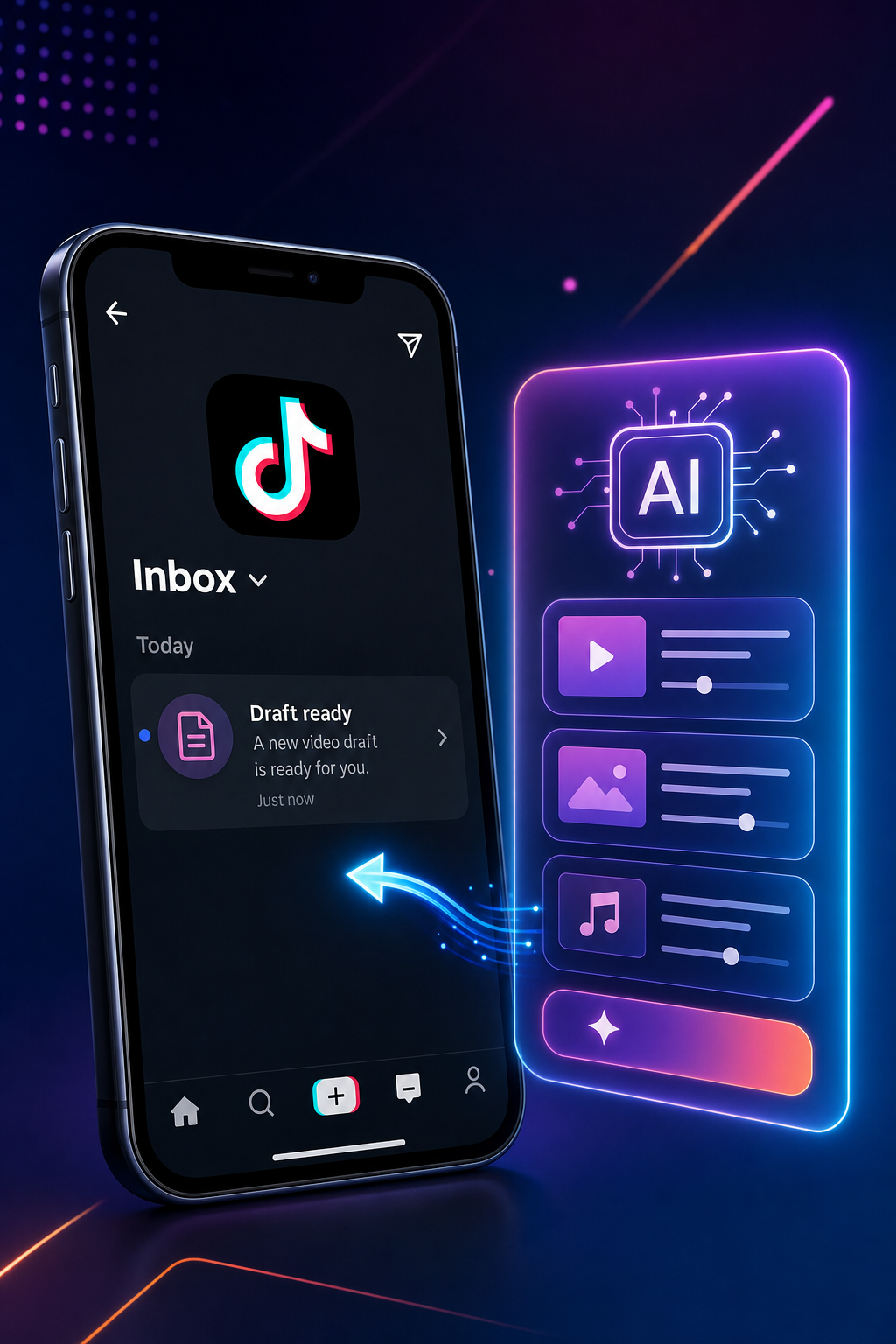
This is the only tool on this list that collapses video creation and scheduling into a single step. You enter a prompt describing your video idea , say, a 30-second recipe tip for your food account , and ClipDraft generates a photorealistic, ready-to-post video in about 60 seconds. The draft lands straight in your TikTok inbox. You review it, hit publish when you want, and move on.
For beauty, travel, food, and lifestyle creators who post daily, that workflow matters. The TikTok algorithm rewards frequent, fresh content. Most schedulers help you post more consistently; ClipDraft helps youmakemore content to post. Use the free AI-powered TikTok tools from ClipDraft to pair a content calendar with automated video drafts, so you always have something in the queue.
The model is credit-based: one credit produces one AI video. That means you pay per video, not per month, which suits creators who publish in bursts rather than on a rigid daily schedule.
One honest caveat: because drafts land in your TikTok inbox rather than publishing automatically at a set time, ClipDraft works best when paired with your own posting rhythm or a separate scheduler for timed auto-publishing. Think of it as the content factory; the other tools on this list handle the clock.
2. Later , Best TikTok Scheduler for Visual Content Planning
Later is a visual-first scheduling platform built for creators who want to see their full content calendar before anything goes live. It supports true auto-publishing to TikTok , your video posts at the exact time you set, no notification required.
The drag-and-drop calendar makes batch scheduling fast. You can queue a week of TikTok posts in one sitting, add hashtags, toggle on duets and stitches, and let Later handle the rest. It also surfaces best-time-to-post recommendations based on when your specific followers are most active, not generic industry averages.
Later's analytics go deeper than most tools at this price tier. You get per-post performance data alongside audience demographics, which is genuinely useful for a creator trying to figure out which video formats land with their particular audience. The built-in link-in-bio tool connects your TikTok posts to product pages or a blog, and it requires a minimum follower count to activate on TikTok.
Later also supports Instagram, Facebook, Pinterest, and LinkedIn from the same dashboard, so if you cross-post Reels and Shorts alongside your TikToks, you're not juggling separate tools. The platform validates your media before publishing so you know the post won't fail silently.
The main limitation is cost. Later's free tier is limited, and unlocking auto-publishing for TikTok requires a paid plan. For a creator just starting out, that's worth weighing against simpler free options below.
3. Buffer , Best TikTok Scheduler for Small Creator Budgets
Buffer is the go-to option when you want a clean, reliable TikTok scheduler without paying much. The free plan covers three social channels, and the interface is one of the simplest in this category.
Auto-publishing works for most standard TikTok videos. The one exception: if your video uses a trending sound from TikTok's in-app library, Buffer can't add it automatically because TikTok's API doesn't expose its full music catalog. In that case, Buffer sends you a notification with the content pre-loaded, and you finish the post in the TikTok app. For evergreen content , tutorials, tips, product demos , that restriction barely matters.
Buffer's Ideas space is a useful addition. You can save raw video concepts, draft captions, and brainstorm hooks in one place, then turn them into scheduled posts when you're ready. The AI assistant inside Buffer can help generate caption drafts and suggest hashtags, which cuts prep time on batch-scheduling days.
Cross-posting to Instagram Reels and YouTube Shorts from a single upload is built in. Buffer confirmed on its official TikTok page that you can upload once and adjust the post for each platform's requirements before scheduling. Note that Buffer requires a TikTok Business account for scheduling , personal accounts can't connect.
Analytics on Buffer's free tier stay basic: views and engagement per post, without aggregated reports. If you want deeper data, that's a paid upgrade. For a creator under 10K followers focused on consistency over analytics, the free tier is more than enough to get started.
4. Hootsuite , Best TikTok Scheduler for Multi-Platform Teams
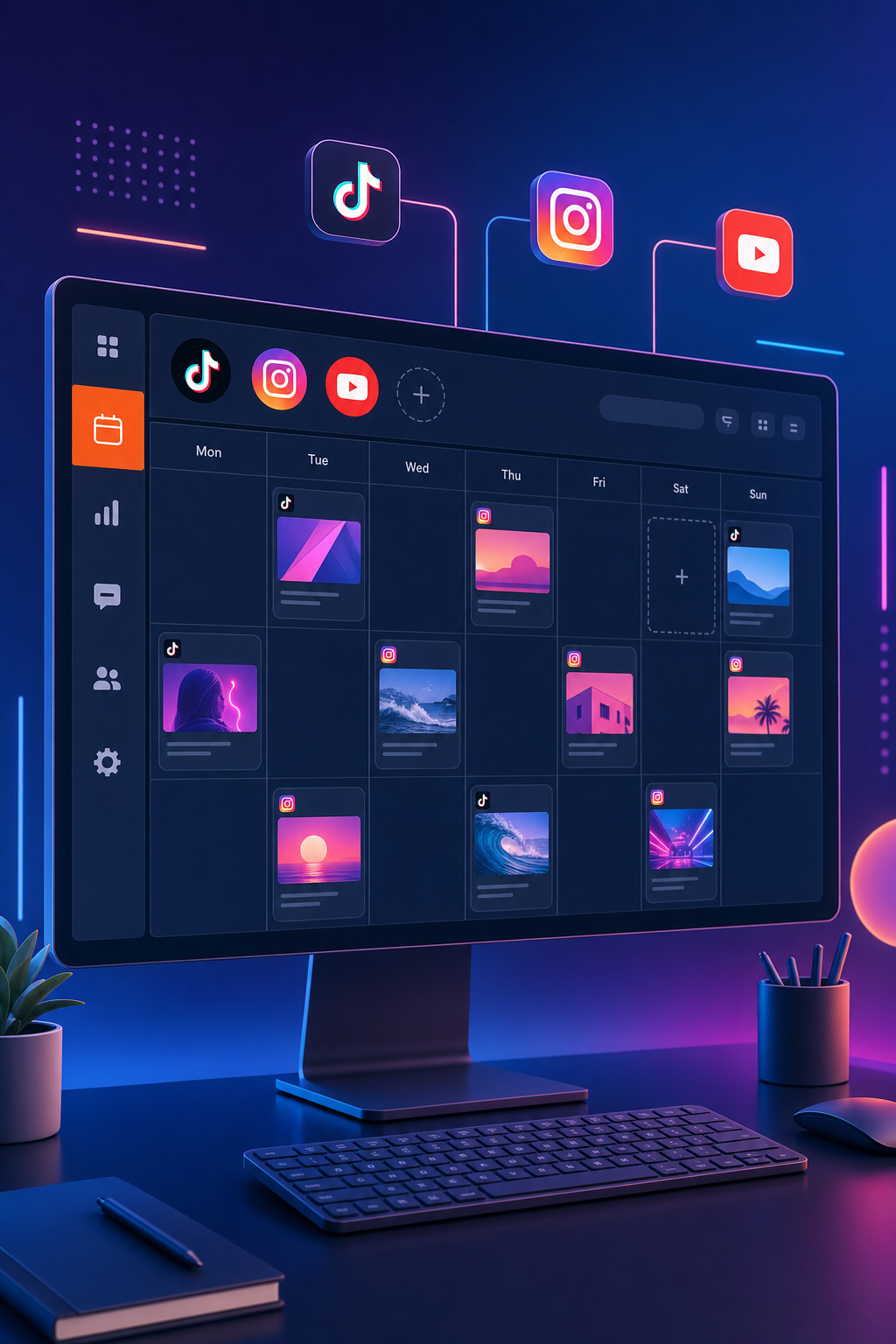
Hootsuite is the right call when more than one person manages a TikTok account, or when TikTok is one channel inside a larger social strategy. It's an official TikTok Marketing Partner, which means the connection is stable and the integration runs on TikTok's sanctioned API.
The real differentiator is Hootsuite's "Wisdom" feature: a real-time answer engine that surfaces what's trending on TikTok specifically for your brand's niche. Instead of scrolling For You for 30 minutes, you get a live read on what's gaining traction right now. That's a meaningful edge when you're trying to time reactive content.
Scheduling works across TikTok, Instagram, Facebook, YouTube, Pinterest, Threads, and more from a single dashboard. Hootsuite shows a heatmap of when your audience is most active, so posting time decisions are based on your actual data rather than guesswork. Custom analytics reports can be built in seconds and shared with clients or managers.
Comment and message management for your TikTok Business account sits inside the same dashboard as your other platforms. For a two-person content team or a social media manager running multiple brand accounts, that inbox consolidation alone saves real time each day.
The honest trade-off: Hootsuite is one of the more expensive tools here, and individual creators with a single TikTok account will likely find it over-engineered for their needs. It makes the most sense when you're managing multiple accounts or need formal approval workflows before content goes live.
5. Publer , Best TikTok Scheduler for Bulk Scheduling
Publer is built for creators who batch everything. If your workflow involves filming 10, 15 videos on a Sunday and scheduling them for the week, Publer's bulk upload system handles that without friction.
You can upload multiple videos at once, set recurring posting times, and let Publer distribute them across your schedule automatically. The visual calendar gives you a clear picture of your queue, and you can drag posts to different time slots if something needs to shift. Auto-publishing to TikTok is supported for Business accounts.
Publer also includes a browser extension for quickly capturing content ideas from anywhere on the web and dropping them into your queue. The workspace feature lets you organize content by brand or niche, which helps if you're managing more than one TikTok account under different identities.
One area where Publer lags slightly is analytics depth. The data available is useful for tracking basic performance, but it's not as detailed as Later or Hootsuite for audience demographic breakdowns. If you primarily need a fast, reliable way to schedule a high volume of TikTok posts with minimal setup time, Publer delivers that well. If analytics-driven decisions are central to your growth strategy, you may want to pair it with a separate analytics tool.
6. SocialBee , Best TikTok Scheduler for Content Recycling
SocialBee takes a different approach from every other tool here. Instead of a linear queue, it runs category-based scheduling: you assign each video to a content bucket (tutorials, product tips, behind-the-scenes, FAQs), and SocialBee cycles through those buckets to keep your feed balanced and consistent.
The recycling feature is the real draw for evergreen content creators. A well-made how-to video that performed well three months ago can be automatically reshared on a set rotation , it keeps working instead of disappearing into your archive. You can also set expiry rules so time-sensitive posts stop recycling after a certain date.
The hashtag manager lets you save sets of hashtags per content category and apply them automatically when posts from that category go live. For coaches, educators, and service businesses with regular content themes, that's a significant time saver on repetitive tasks.
SocialBee supports TikTok alongside Instagram, Facebook, LinkedIn, Pinterest, and more. Auto-publishing requires a TikTok Business account, consistent with most tools in this category. The learning curve is slightly steeper than Buffer or Later because setting up the category system takes initial thought , but once it's built, the ongoing maintenance is minimal.
It's not the best fit for trend-driven creators who constantly produce new content and rarely revisit old posts. But for anyone with a library of solid evergreen videos, SocialBee turns past work into ongoing reach.
7. TikTok Native Scheduler , Best Free Option Built Into TikTok
TikTok Studio is TikTok's own built-in scheduling tool, and it costs nothing. It lives at tiktok.com/tiktokstudio and works on desktop or mobile browser , not the TikTok app itself.
The key fact to know upfront: TikTok's official scheduler limits posts to 10 days in advance. That's a hard product limit, not a technical one. Third-party tools like Later can schedule up to three months ahead, which matters when you're trying to maintain the algorithm-friendly posting frequency needed for steady growth. If you want to plan a month of content in a single afternoon, the native scheduler won't support that workflow.
What it does support: standard video posts with captions, hashtags, cover image selection, and privacy settings. Drafts created in the mobile app, TikTok Stories, and LIVE sessions cannot be scheduled natively , only standard video uploads qualify.
The interface is minimal. There's no content calendar view, no analytics integration in the scheduler itself, and no way to edit a post after it's been scheduled without deleting and re-uploading. For occasional posting or creators who are just testing a scheduling workflow before committing to a paid tool, TikTok Studio works fine. For anyone posting more than a few times a week or planning content more than a week and a half out, those limits become a daily friction point fast.
How to Choose the Right TikTok Scheduler for Your Goals
The biggest mistake creators make is picking a scheduler based on feature lists rather than their actual workflow. Here's a faster way to decide.
Start with one question: do you need helpmakingvideos or helppostingthem on time? If your bottleneck is production , you have ideas but lack the time or gear to film , ClipDraft solves that problem at the source by generating the video itself. If you have videos ready and just need reliable timed publishing, any of the tools from #2 through #6 handle that well.
Second, decide whether you post to multiple platforms. If TikTok is your only channel, TikTok Studio (free) or Buffer (low cost) is enough. If you also post to Instagram Reels and YouTube Shorts, pick a tool that bundles those platforms together so you're not uploading the same video three times. Research on 15 scheduling tools found only 15% include TikTok alongside YouTube Shorts and Instagram Reels as a combined short-form bundle , so verify that before you sign up.
Third, check whether the tool truly auto-publishes or just sends a reminder. Only a third of scheduling tools explicitly confirm automation as a core feature , a gap that can mislead creators who assume "scheduler" means hands-off. Buffer, Later, Hootsuite, Publer, and SocialBee all support true auto-publishing for TikTok Business accounts. TikTok Studio auto-publishes natively but caps you at 10 days out.
Finally, think about how you grow. Consistent posting matters more than perfect timing , the TikTok algorithm responds to frequency and watch time, not whether you posted at 7:03 PM versus 7:15 PM. A scheduler you'll actually use beats a premium tool you'll abandon after two weeks.
FAQ
Does scheduling a TikTok post hurt your views?
No. Scheduling does not reduce reach or engagement. TikTok's algorithm responds to content quality, posting consistency, and how viewers interact with your video in the first hour , not how you uploaded it. Third-party schedulers that use TikTok's official API publish videos identically to a manual upload. What does affect views is posting at a time when your audience is actually active, which schedulers help you do more reliably.
What is the best free TikTok scheduler?
TikTok Studio is the best free option if you only post to TikTok and don't need to plan more than 10 days ahead. Buffer's free plan covers three social channels and works for cross-posting. For creators who want AI-generated video drafts delivered directly to their TikTok inbox without a monthly fee, ClipDraft uses a credit-based model so you only pay for the videos you generate.
How far in advance can you schedule TikTok posts?
TikTok's built-in scheduler caps you at 10 days ahead. Third-party tools remove that limit , Later supports scheduling up to three months in advance, and most other platforms let you queue content as far out as you want. For creators who batch content in advance or manage a content calendar for multiple weeks, a third-party scheduler is the usable choice for maintaining posting frequency.
Can you schedule TikTok posts from a phone?
TikTok's native scheduler requires a desktop browser or a mobile browser (not the TikTok app). Third-party tools like Later and Publer have mobile apps that let you schedule directly from your phone. If mobile-first scheduling matters to your workflow, check that your tool has a native iOS or Android app before committing to it.
How often should you post on TikTok for growth?
Posting three to five times per week gives the algorithm enough signal to push your content without fatiguing your existing followers. Going above three posts per day tends to cannibalize your own reach. Consistency beats volume , a steady schedule of four posts a week outperforms fifteen posts in a single day. Schedulers help most creators hit that consistency without the daily pressure of filming and posting in real time.
Do I need a TikTok Business account to use a scheduler?
For most third-party schedulers, yes , TikTok's API requires a Business or Creator account for auto-publishing. Buffer, Later, Hootsuite, Publer, and SocialBee all need Business account access to publish automatically. TikTok Studio natively supports Creator and Business accounts for scheduling. Personal accounts can sometimes connect but may face restricted features depending on region and platform updates.
Conclusion
If you're under 50K followers and struggling to post consistently, the fastest fix is removing friction from video creation itself. ClipDraft handles that , enter a prompt, get a finished video in your TikTok drafts in 60 seconds, no camera needed. Pair it with a scheduler like Buffer or Later for timed auto-publishing, and you have a full content pipeline without burning hours every week. Try ClipDraft's AI video tools and see how many videos you can queue before the end of the week.